
Staff Membership & Registration with Gym BC
All Staff and BOD are required to hold a valid annual membership with Gymnastics BC.
While Glacier covers the membership costs on your behalf, all membership requirements including waivers and agreements must be completed by the staff member.
Glacier handles submission of your membership application to GymBC via the Uplifter Software - simply complete the online process linked below and Glacier will submit it.
Detailed instructions are included - contact Cuong for help.
Hint: to complete the waiver/agreements you need to check ALL boxes.
If the "accept" button does not turn green, you've missed one of them.
Before you start
Please make sure you've read the Gymnastics BC Code of Conduct Page 18-24 (link below). Membership requires your agreement to abide by those policies.
Gymnastics BC Code of Conduct Page 18-24
2nd Hint: be sure to complete the check out process
You need to proceed as if you were making a payment
The system will create a $0.00 invoice.
Junior Staff (under 19yrs)
A legal parent / guardian must complete the waiver & agreement on behalf of the junior staff person.
- The Uplifter Account should be in the name of the parent / guardian.
- The junior staff person should be enrolled as the participant.
- An Assumption of Risks / Waiver form must be completed by the parent/guardian. (This may already be in place if you are registered as an athlete this season).
- Agreement to the Code of Conduct is required of all coaches.
Adult Staff (19+yrs)
Click the button below to enroll in the registration class.
You will be prompted to log in (or create an account if you don't have one).
Ensure you are listed as a Participant (you might have to add yourself)
Complete the waiver & policy agreement.
Complete Check Out
Instructions - New to Uplifter
Contact the office if you need help with completing your membership.
You will need to create an online account in the Uplifter system before you can complete registration. Log in and Skip this step if you're already an account owner.
*Minor staff must have their parent/guardian log in using the parent’s account.
- Go to Uplifter Webiste and click on Login button on the top right to login an Existing Account – or Create Your New Account
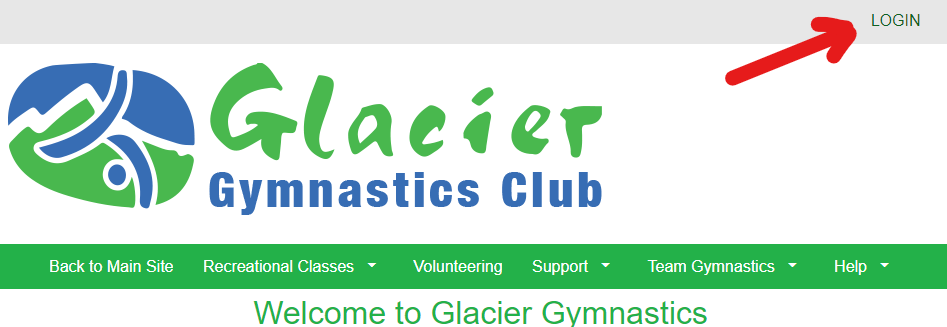
- Enter your information and Click "Create Account" button at the end.
- Continue to complete additional required information .
- Go to your email inbox to find the verification link and activate your account.
Sign up for membership:
Return to this page and Click the Green Button above
A registration window will pop up (see image below).
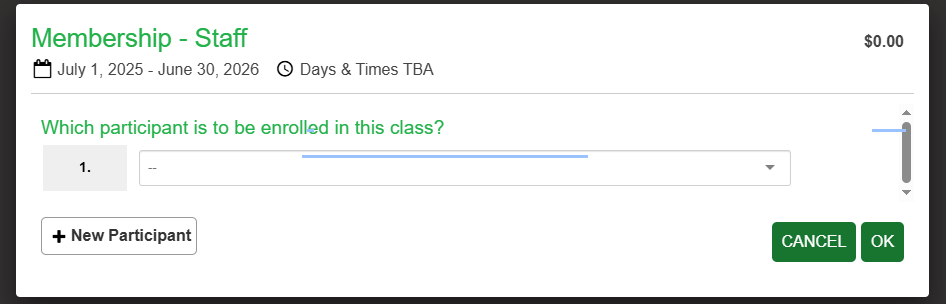
1. Use the drop down menu to select your name. If you can’t find your name,
select “+ New Participant” and enter your information.
2. If your name appears, select it and click “OK.”
3. Go to “View Cart” or “Shopping Cart” at the top of the page.
d. Proceed with Billing Information & Complete Check Out.
e. Click and Sign the policies
(from 2026-27, GymBC code of conduct agreement is added)
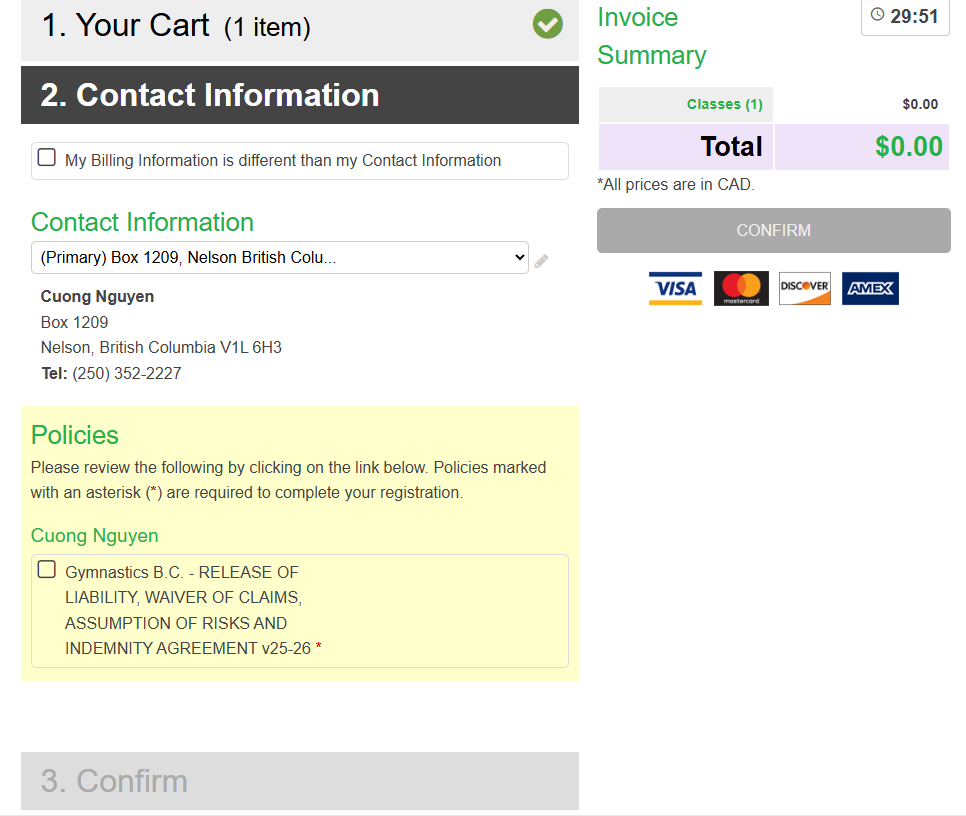
Click "Confirm" button to finish the registration.